Batch posts now. Schedule across LinkedIn and X. Walk away.
The 2026 LinkedIn algorithm rewards consistency over volume. Most creators fail at consistency, not creativity. The scheduler closes that gap.
Try scheduling free →No credit card required
Consistency is the growth lever everyone fails at
You write three great posts in a burst, publish them over two days, and then your real job swallows the rest of the week. Two weeks later you remember LinkedIn. The algorithm has noticed your gap. Reach drops. You give up. The scheduler exists to make consistency boring — which is what it should be.
- LinkedIn rewards daily(ish) posting over sporadic spikes
- Manual posting is high-friction → you skip days → momentum dies
- Cross-platform timing differs (LinkedIn morning, X evening) — manual makes this impossible
- Most schedulers are clunky calendars; we focus on batching workflow + reliability
How it works
- 1
Write or generate posts in batch
Use the AI Writer to draft 5–7 posts in one session, or paste in drafts you wrote elsewhere. Everything stays in the queue until scheduled.
- 2
Drop them on the calendar
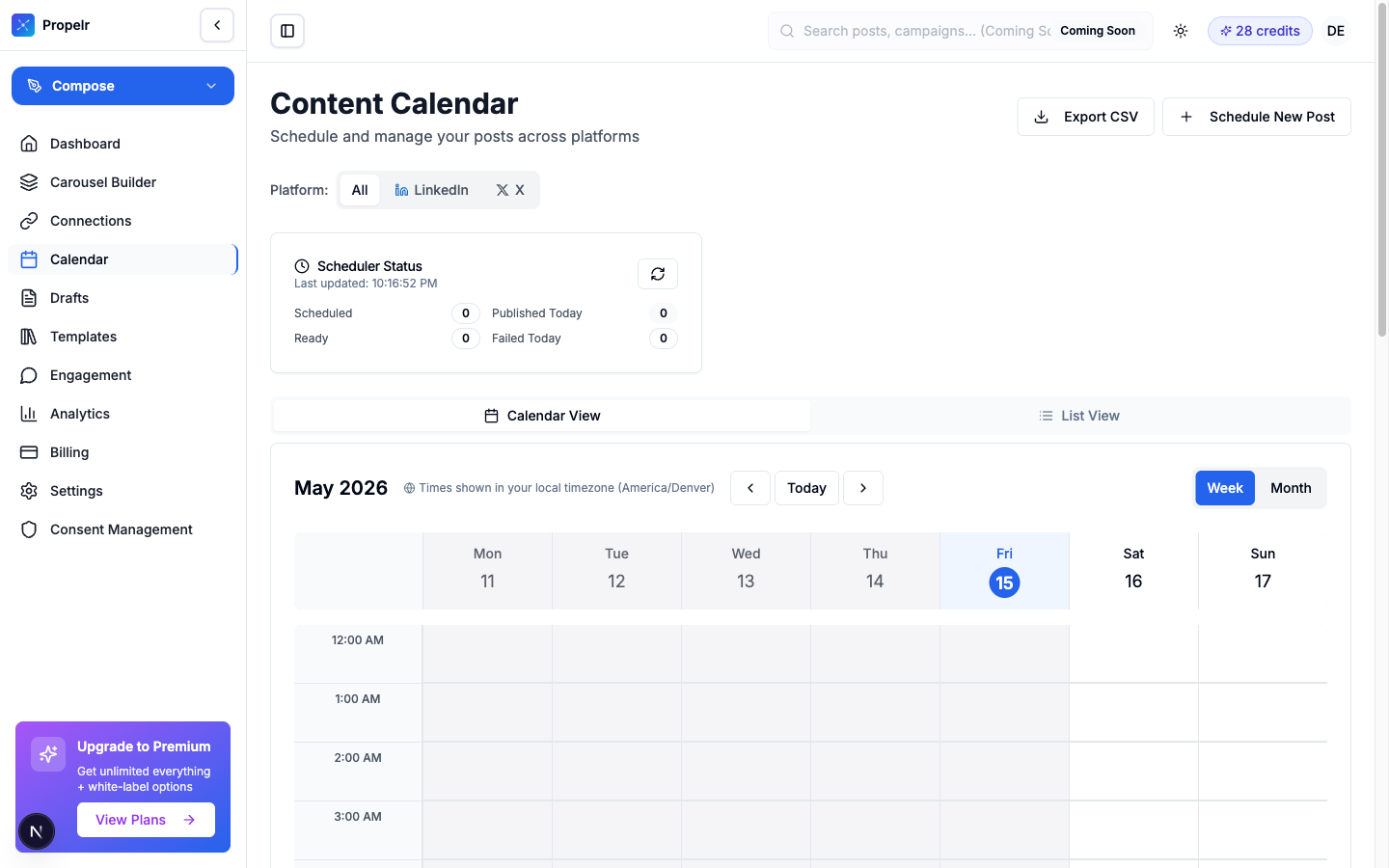
Visual calendar view — drag to a date and time, or use smart-time suggestions based on your audience's engagement patterns.
PreviewCalendar view with drag-and-drop scheduling - 3
The scheduler publishes them
Background worker publishes posts at the exact scheduled time. Automatic retries on transient failures. Notifications if anything needs your attention.
Capabilities
LinkedIn + X in one calendar
See and schedule both platforms from the same view — no tab-switching, no duplicate work.
Drag to reschedule
Move a scheduled post to a different time/date by dragging on the calendar. No modal forms.
Smart-time suggestions
Suggested publish windows based on your audience's historical engagement patterns.
Series and recurring slots
Set a weekly cadence and let the scheduler fill it from your drafted backlog.
Automatic retries
If LinkedIn's API blips, the scheduler retries with backoff. Permanent failures send a notification.
Official OAuth
Uses LinkedIn's and X's sanctioned posting APIs — no browser-session hacks, no account-flag risk.
Who it's for
Anyone who has said "I'll post when I have time"
You won't. Batching + scheduling is the proven path to actual consistency.
Multi-platform creators
LinkedIn + X requires different timing. The scheduler handles platform-specific cadence automatically.
Founders running real jobs
You can't carve out 15 minutes daily. You can carve out 30 minutes weekly to batch the next 7 posts.
Frequently asked questions
What timezone does scheduling use?
Your profile timezone (set during onboarding). The calendar displays times in your local zone; publish times are calculated server-side to be exact.
What happens if a post fails to publish?
The scheduler retries automatically for transient failures (API timeouts, network blips). For permanent failures (revoked token, deleted account), you get a notification with a clear next step.
Can I edit a scheduled post?
Yes. Open the post from the calendar, edit, and save. The new content publishes at the scheduled time.
Is auto-DM or auto-comment supported?
No. These features violate LinkedIn's and X's terms of service and put your account at risk. Propelr is sanctioned-API only.
Try Scheduling & Calendar free
Batch a week of posts in one sitting, schedule across LinkedIn and X, walk away. Consistency is the growth lever everyone fails at — automation fixes it.
Try scheduling free →