Best AI LinkedIn Tool 2026: A B2B Founder's Honest Guide
Best AI LinkedIn tools 2026 for B2B founders. Real evaluation framework, 9 tools tested honestly (Hypefury, Propelr, Taplio, MagicPost, more).
Table of Contents
- The 2026 LinkedIn AI tool landscape: what changed
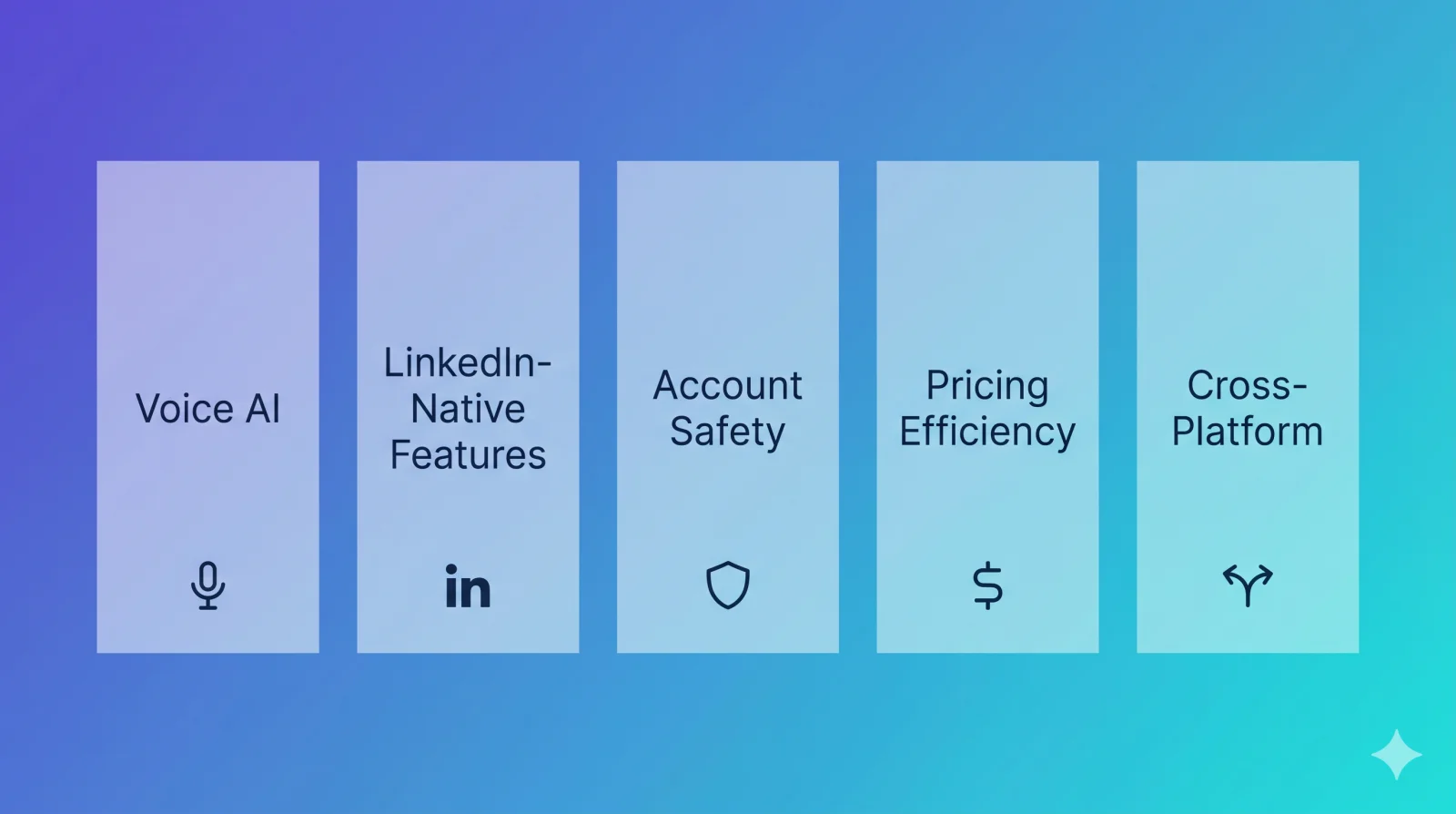
- Five criteria to evaluate any LinkedIn AI tool
- Tool-by-tool breakdown
- Propelr
- Hypefury
- Taplio
- MagicPost
- AuthoredUp
- Tweet Hunter
- Typefully
- Buffer
- Postwise
- The X-to-LinkedIn migration path for Hypefury users
- Decision matrix: which tool fits which founder situation
- Pricing reality: what these tools actually cost per useful post
- Red flags to avoid in any AI LinkedIn tool
- FAQ

Grow your LinkedIn/X
audience now
AI-powered content creation and scheduling for LinkedIn & X.
Try Propelr for FreeIf you're searching for the best AI LinkedIn tool in 2026, the listicle hellscape isn't helping. Every result is the publishing tool's own blog crowning themselves #1.
This is a different write-up. I'm a B2B founder. I've used most of these tools on my own LinkedIn account. The recommendations below are based on a real evaluation framework, not vendor bingo — and they explicitly call out Propelr's limitations alongside its strengths.
If you're on Hypefury today and being told "you need to be on LinkedIn too," there's a section just for you. Skip to the migration path if that's your situation.

The 2026 LinkedIn AI tool landscape: what changed
Three things shifted in the last 12 months and they redefined what "best" means.
LinkedIn's algorithm went semantic. In late 2024, LinkedIn deployed 360Brew — a 150-billion-parameter foundation model that replaced thousands of separate ranking models. The new system prioritizes dwell time and saves over likes, and uses semantic understanding to match content with users likely to engage deeply. That changes what an AI tool should optimize for. Bulk-generated AI text that reads like AI earns low dwell time, which gets throttled. Voice-consistent posts that earn saves get amplified. We covered this in detail in our 2026 LinkedIn algorithm playbook.
Founder attention is fragmenting across platforms. Many B2B founders who built early audiences on X (often with Hypefury) are now opening LinkedIn accounts and asking the same question you're asking: what tool gives me Hypefury for LinkedIn? The answer is more nuanced than "X tool, but for LinkedIn." LinkedIn requires longer-form content, native carousels, and a different cadence. We covered the migration mechanics in our X growth strategy for 2026 — what works on X often fails on LinkedIn unchanged.
AI quality got good enough that voice matters more than raw generation. In 2024, the differentiator between AI writing tools was "can it generate a coherent post." In 2026, every tool can. The new differentiator is "does it sound like you, or like AI." That's the most under-discussed factor in every top SERP result.
So the criteria for "best" in 2026 aren't features. They're outcomes: does this tool produce content that sounds like you, on the platform where you're trying to grow, without flagging your account.
Five criteria to evaluate any LinkedIn AI tool
Use these before signing up for any free trial. They're more useful than the marketing pages.
1. Voice-learning AI quality. Does the tool let you feed it samples of your existing writing so drafts match your tone? Tools without voice training produce generic AI output. Generic AI output earns low dwell time and saves — exactly the signals the 2026 algorithm now weights most heavily. The downstream effect: less reach. This is the single biggest filter.
2. LinkedIn-native features. Carousel/document builder, native scheduling, in-app preview matching LinkedIn's real renderer, hashtag handling. Tools built for "all social platforms" usually have weak LinkedIn-specific surface area. LinkedIn document and carousel posts average ~6.6% engagement vs ~2% for text — if a tool can't build them, it's not serious about LinkedIn.
3. Account safety: OAuth vs session cookies. LinkedIn has an official OAuth API for posting. Some tools use it. Others scrape via browser session cookies, which violates LinkedIn's user agreement section 8.2 prohibiting third-party automation. LinkedIn deployed updated session fingerprinting in Q1 2026 that flags bot-like patterns within 48 hours. If your LinkedIn account is critical to your business, the auth method isn't optional — verify before connecting any tool.
4. Pricing efficiency, not sticker price. The cheapest tool isn't cheapest if you also need to pay for image generation, a carousel builder, and a separate scheduler. Calculate cost per published post, including everything you actually need.
5. Cross-platform if you need X. Many B2B founders post on both LinkedIn and X. Some tools handle both natively (Propelr, Buffer); others are LinkedIn-only (Taplio, MagicPost, AuthoredUp); a third group is X-first with LinkedIn as an afterthought (Tweet Hunter, Typefully). Hypefury used to belong in that third group but dropped X support in 2026. Pick based on where you'll actually post.
Tool-by-tool breakdown
Nine tools, evaluated against the five criteria above. Ordered by relevance to a B2B founder starting LinkedIn growth in 2026.
Propelr
Propelr is a LinkedIn + X AI content platform. AI writing with Content DNA voice learning, multi-provider AI image generation (Replicate, Stability, Leonardo, DALL·E), a native carousel/document builder, scheduling, viral content discovery, and analytics — all in one tool. Official LinkedIn OAuth.
Strengths: voice-fidelity AI (the Content DNA layer learns from your samples), free tier covers solo testing, $19/month Pro is meaningfully cheaper than Taplio's $65 Standard tier, official OAuth integration.
Limits: no agency / multi-account mode yet (single-creator only). Smaller historical post dataset for viral inspiration vs Taplio's mature library. UI is newer and still rounding edges.
Hypefury
Update (July 2026): Hypefury no longer supports X. Its pricing page FAQ states this directly, and the product is now a single $6/month Essentials plan covering Bluesky, Threads, LinkedIn, and Instagram.
Hypefury was an X-first scheduler built around evergreen recycling and auto-plug threads — a scheduling and automation tool rather than an AI writer. The recycling was one of the best implementations on the market, and nothing has replaced it on X. Our Hypefury alternatives audit covers where that leaves X-first creators.
Limits today: no AI writing, no X support, and LinkedIn remains a cross-post target rather than a primary platform.
Taplio
Taplio is the most established AI LinkedIn tool, founded by Tibo Louis-Lucas alongside Tweet Hunter (its X counterpart, same codebase) and later sold to Lempire. Inspiration library, AI writing, scheduling, analytics, lead-gen on higher tiers.
Strengths: deepest viral-content inspiration library of any tool in this comparison, mature analytics, established user base means more LinkedIn-specific learnings baked in.
Limits: pricing has three tiers — Starter $39/mo (zero AI credits, effectively just analytics), Standard $65/mo (250 AI credits — the real entry point for AI users), Pro $199/mo (5,000 credits + lead-gen). The "Taplio starts at $39" framing is technically true but misleading if you want AI generation. Recurring user complaints about generic AI voice (the "Taplio voice" pattern) persist across review sites.
MagicPost
MagicPost is a focused AI LinkedIn post generator. Paste a topic, get a post in 15 seconds.
Strengths: speed, simplicity, low friction for ad-hoc drafting.
Limits: no image generation, no carousel builder, basic scheduling, LinkedIn-only. Pricing: Starter $29/mo, Creator $39/mo. If you also need images or carousels, your real cost is MagicPost + Canva + (eventually) a real scheduler.
AuthoredUp
AuthoredUp is a Chrome extension that lives inside LinkedIn's composer. Best-in-class formatting and hooks library, but it's an editor — not a content engine.
Strengths: in-LinkedIn floating panel with live preview, hooks/templates library, formatting tools beyond what LinkedIn natively offers.
Limits: no AI writing, no scheduling, no carousels. Individual plan $19.95/month (or $16.63 annually). Chrome extension dependency.
Tweet Hunter
Tweet Hunter is the X counterpart to Taplio — same founder, same codebase, now under Lempire. AI writing, scheduling, viral inspiration — for X only.
Strengths: deep X inspiration library, AI writing trained for X-native format, established product.
Limits: X-only. No LinkedIn support at all. Pricing: Discover $29/mo, Grow $49/mo (the popular tier), Enterprise $199+.
Typefully
Typefully is a minimalist X composer with LinkedIn cross-posting.
Strengths: cleanest writing UI in the category, thread builder is best-in-class for X.
Limits: LinkedIn features are surface-level (cross-post, no native carousels, no LinkedIn-specific AI). Pricing: Free (1 scheduled post at a time), Starter $8/mo, Creator $19/mo, Team $39/mo.
Buffer
Buffer is a generic multi-platform scheduler that added AI assistance in 2023–2024.
Strengths: stable, supports many platforms, predictable pricing.
Limits: AI features are shallow compared to LinkedIn-specific tools. No carousel builder. No voice training. Generic AI tone. Pricing is per-channel: Essentials $5/channel/month annual (or $6 monthly), Team $10/channel. Costs scale fast for multi-platform creators.
Postwise
Postwise is AI-first multi-platform — X, LinkedIn, Instagram, Threads.
Strengths: aggressive AI feature set, multi-platform, automation hooks.
Limits: LinkedIn-specific features are shallower than LinkedIn-native tools. Voice training exists but lighter than Propelr's Content DNA. Pricing: Basic $37/mo (3 accounts, 500 posts), Boss $59/mo (5 accounts), Unlimited $97/mo.
The X-to-LinkedIn migration path for Hypefury users
If you're on Hypefury and your audience is starting to ask "are you on LinkedIn?" — here's the migration path.
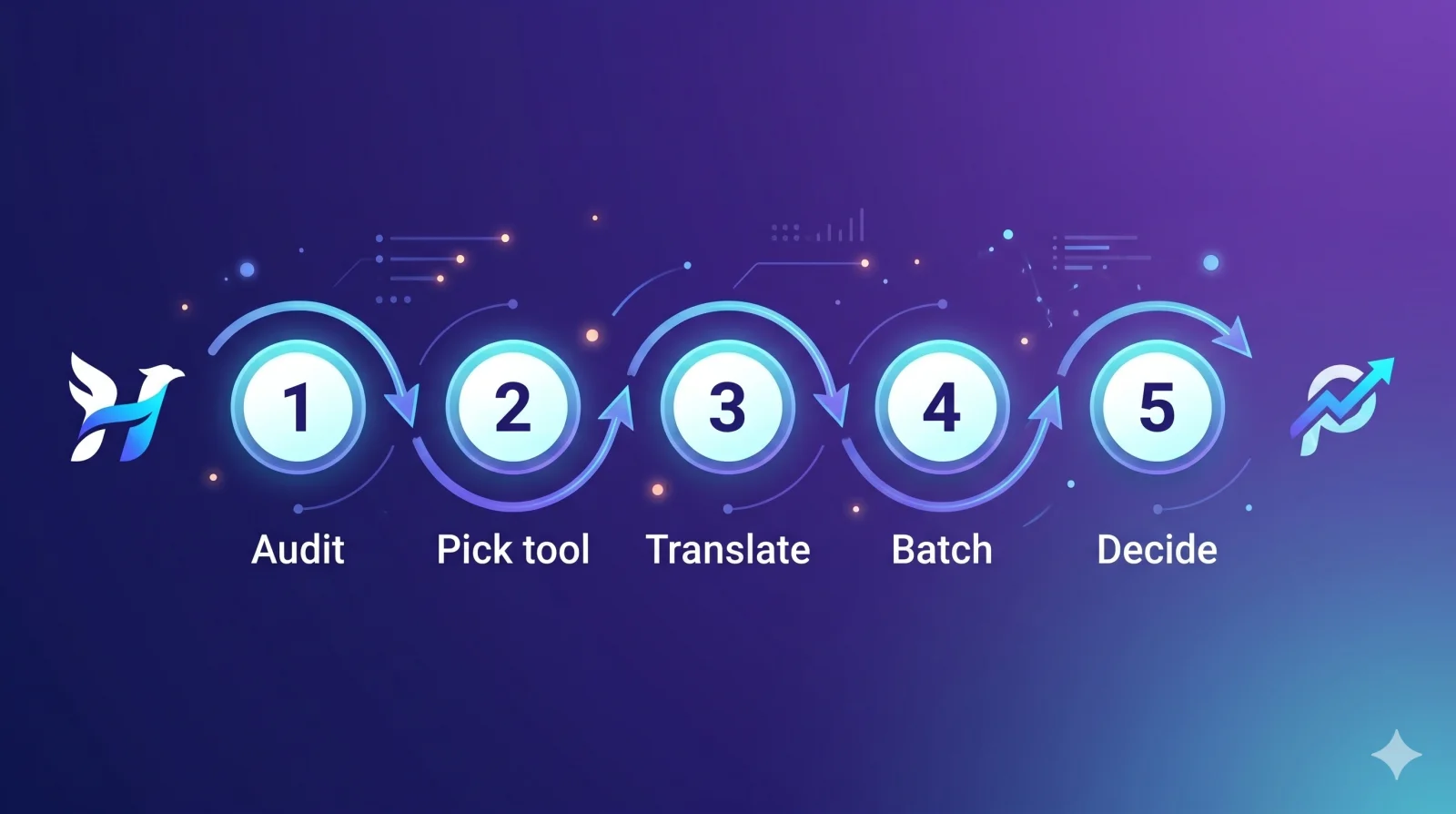
How to migrate from Hypefury to LinkedIn-native AI
A practical 30-minute migration for X-first founders moving to LinkedIn alongside (or instead of) X
Total time: 30 minutes
- 1
Audit your X content for LinkedIn-worthy posts
Export your last 90 days of Hypefury posts. Identify the 10–20 that landed best — these become your LinkedIn voice training samples. Your highest-engagement X content is a strong starting point for LinkedIn because both platforms reward sharp insights and personal POV, even though format differs.
- 2
Pick a LinkedIn-native tool with voice training
Propelr's Content DNA, Taplio's voice mode, or MagicPost with manual prompt tuning. The non-negotiable: the tool must let you feed it real samples of your writing. Generic AI generation earns low dwell time on LinkedIn, which the 2026 algorithm penalizes heavily.
- 3
Translate three X posts to LinkedIn format
Pick three of your top X posts. Expand each to 800–1500 characters with LinkedIn-native structure: one hook line, line breaks every 1–2 sentences, a clear takeaway at the end, no thread continuations. This is your starter content.
- 4
Batch a week of LinkedIn content and schedule
Use the AI tool to generate 5–7 LinkedIn drafts based on your existing X themes, edit each for voice fidelity, then schedule the week. LinkedIn algorithm signals reward consistency over volume — daily for 2 weeks beats sporadic-but-frequent.
- 5
Replace Hypefury for X (or retire it)
Hypefury dropped X support in 2026, so if X is still core you'll need Typefully or Buffer for that side. If you're consolidating, a tool like Propelr or Buffer handles both platforms. Don't try to use one tool to do both before you've validated the LinkedIn workflow works on its own.
The trap to avoid: trying to do both platforms with the same content. LinkedIn rewards longer-form, framework-based posts. X rewards punchy, contrarian one-liners. The migration isn't "duplicate my X posts to LinkedIn." It's "extract the underlying ideas from my X posts and rebuild them in LinkedIn's native format."
Decision matrix: which tool fits which founder situation
| Feature | Propelr | Hypefury | Taplio | MagicPost |
|---|---|---|---|---|
| LinkedIn-first solo founder, <$30/mo budget | Limited | |||
| X-first founder not yet on LinkedIn | Limited | |||
| Established LinkedIn creator, $65+/mo budget | ||||
| Needs both LinkedIn + X in one tool | Limited | |||
| Needs AI carousel/document posts | Limited | |||
| Needs official LinkedIn OAuth (not cookies) | Limited | Limited | ||
| Voice-learning AI (Content DNA-style) | Limited | |||
| Free tier available |
The matrix isn't a popularity contest. It's a fit-finder. Pick the row that matches your situation, then pick the tool with the strongest signal across that row.
Pricing reality: what these tools actually cost per useful post
Sticker price isn't real price. Real price is total monthly spend to ship a post with text + image + scheduling. Verified monthly costs for a B2B founder needing AI writing + images + carousels + scheduling:
- Propelr Pro: $19/month — all four included
- Typefully paid + MagicPost Starter + Canva Pro: ~$8 + $29 + $13 = ~$50/month
- Taplio Standard + Canva Pro: $65 + $13 = $78/month
- MagicPost Starter + Canva Pro + Buffer Essentials: $29 + $13 + $6 = $48/month
- Buffer Essentials + Jasper Creator + Canva Pro: $6 + $49 + $13 = $68/month
The pattern is real: a tool that does one thing well usually requires a stack of three. Tools that bundle (Propelr) win on total cost. Tools at the high end (Taplio Pro, Hypefury Agency) only make sense if their depth in their specialty (Taplio's inspiration, Hypefury's X automation) justifies the gap.
For B2B founders specifically — most of whom are bootstrapped or pre-revenue — the right comparison is bundle vs stack. Stack is almost always more expensive once you account for the second and third tool.
Red flags to avoid in any AI LinkedIn tool
Three things that should disqualify a tool, regardless of marketing:
Session-cookie LinkedIn integration. If signup asks you to paste your li_at cookie or browser session into the tool, walk away. LinkedIn has an official OAuth path, and the user agreement explicitly prohibits scraping or automation tools. Q1 2026 session fingerprinting flags bot-like patterns within 48 hours. If your LinkedIn account is your business, this is a non-negotiable.
No voice training option. A tool that doesn't let you upload samples of your existing writing will produce generic AI output. Generic output earns low dwell time and saves — the two signals the 2026 algorithm weights most heavily. You'll be paying to have your reach reduced.
Per-seat pricing for solo creators. Some tools (Hootsuite, Sprout Social) price per user. For a solo founder, that's a tax on individuality. Look for flat pricing or per-account models.
FAQ
Frequently asked questions
Is there a free AI LinkedIn tool?
What's the best Hypefury alternative for LinkedIn?
Are AI LinkedIn tools safe for your account?
Does Hypefury work for LinkedIn?
Which AI LinkedIn tool has the best voice cloning?
Should B2B founders pay for Taplio or Propelr?
If you want to test the LinkedIn-native approach without committing budget, Propelr's free tier covers solo testing. Content DNA voice learning is on the free plan. Connect via official LinkedIn OAuth and draft your first post in five minutes.
For deeper LinkedIn strategy beyond tool selection, read our 2026 algorithm playbook and our breakdown of LinkedIn engagement benchmarks for 2026.
If you want to test the basics first without signing up anywhere: our LinkedIn character counter handles every field limit (post, headline, About), the post preview tool shows the mobile and desktop rendering, and the engagement rate calculator tells you whether your current numbers are on track.
Content and growth research team at Propelr
The Propelr team publishes playbooks from inside a content platform used to create, schedule, and analyze thousands of LinkedIn and X posts. Articles are grounded in real usage data and current platform behavior, not recycled advice.
Keep reading
All posts
How to Get Your LinkedIn Posts Cited by ChatGPT (2026)
LinkedIn is the #1 cited domain for professional queries in AI search. What three studies of 2.7M+ citations reveal about getting your posts quoted.

Best Taplio Alternatives 2026: When $69/mo Stops Working
Taplio's real price is $69/mo, not $39. Honest 2026 round-up: cookie-auth risk after the LinkedIn crackdown, voice-AI vs library AI, 6 alternatives ranked.
How to Make AI Content Sound Human (Without Losing Your Voice)
How to make AI content sound human on LinkedIn: the AI tells to delete, a 6-step humanizing workflow, and why voice-trained AI beats generic prompts in 2026.